Social Media Automation Best Practices for 2026
How social media management has shifted toward AI-assisted drafting, unified inboxes and API-driven workflows, and the habits that make automation work in 2026.
Ask someone who managed social accounts a few years ago what the job looked like, and you'll hear about a spreadsheet, a pile of browser tabs and a lot of copy-pasting at odd hours. Ask someone doing it now and the job sounds different. Drafting is faster, the scheduling is a background detail, and the real work is deciding what's worth saying and keeping up with the conversation.
This article looks at how that shift happened in practice, and which habits separate teams that get real value from automation from teams that just post more. It's general guidance based on how people use these tools, not a prediction or a study, and it deliberately avoids made-up numbers.
How automation changed social media management
Four changes stand out. None of them is exotic, but together they changed what a social media manager spends a week on.
Scheduling stopped being the job
Publishing at the right time used to be a task someone had to do. Now it's configuration. You set standing posting times per account, save a posting schedule, and the queue fills in. Our guide to time slots and schedules shows how little effort it takes. The result is that the hours once spent on logistics are free for work that needs judgment.
Drafting got faster
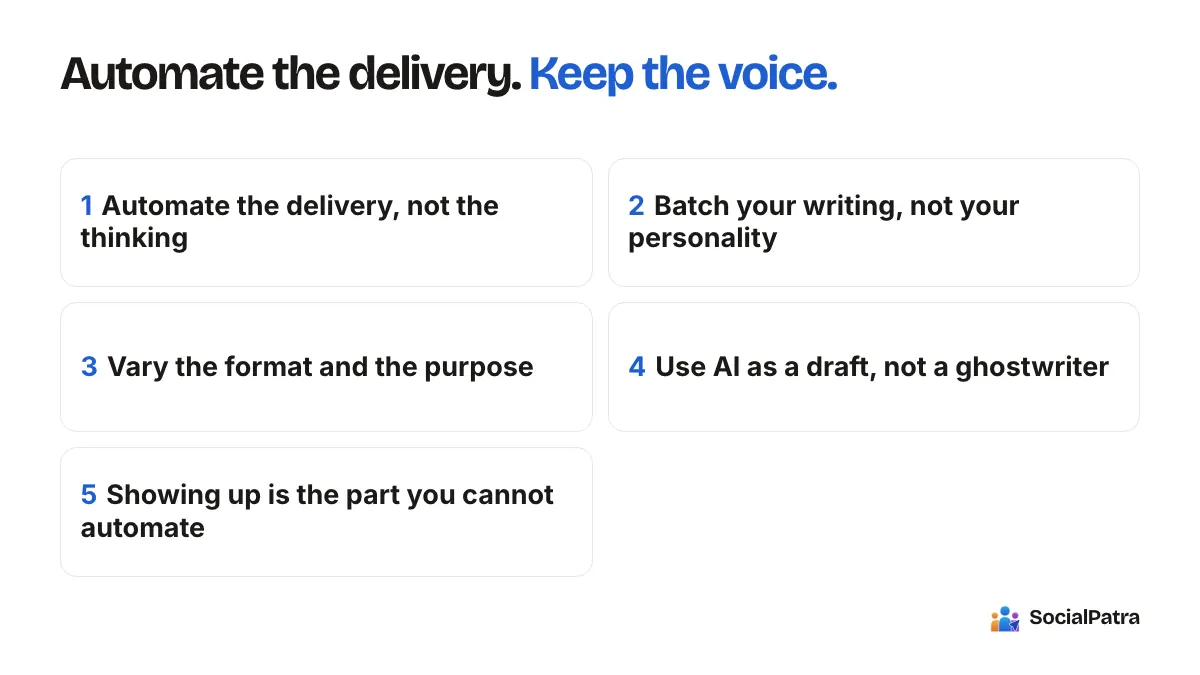
AI writing tools turned the blank page into an edit. You describe a post or paste rough notes, and you get a draft to refine. In SocialPatra, AI Generate works from a prompt or pasted text and sends the result to the composer. AI generation is included with paid plans. The change is real, but it moved the effort rather than removing it: your time goes into editing, fact-checking and adding detail.
The inbox became one place
Replying used to mean opening every network separately. A unified inbox now gathers comments, mentions and messages from connected accounts, so a small team can stay on top of conversations without constant app-switching.
Work moved to where teams already are
Not everyone uses a dashboard all day. Developers and technical teams connect their own tools to posting through API keys, and scheduled content can come from spreadsheets, feeds or other systems. The developer API guide covers creating scoped keys, and bulk CSV import serves people who plan in spreadsheets.
Best practices that hold up
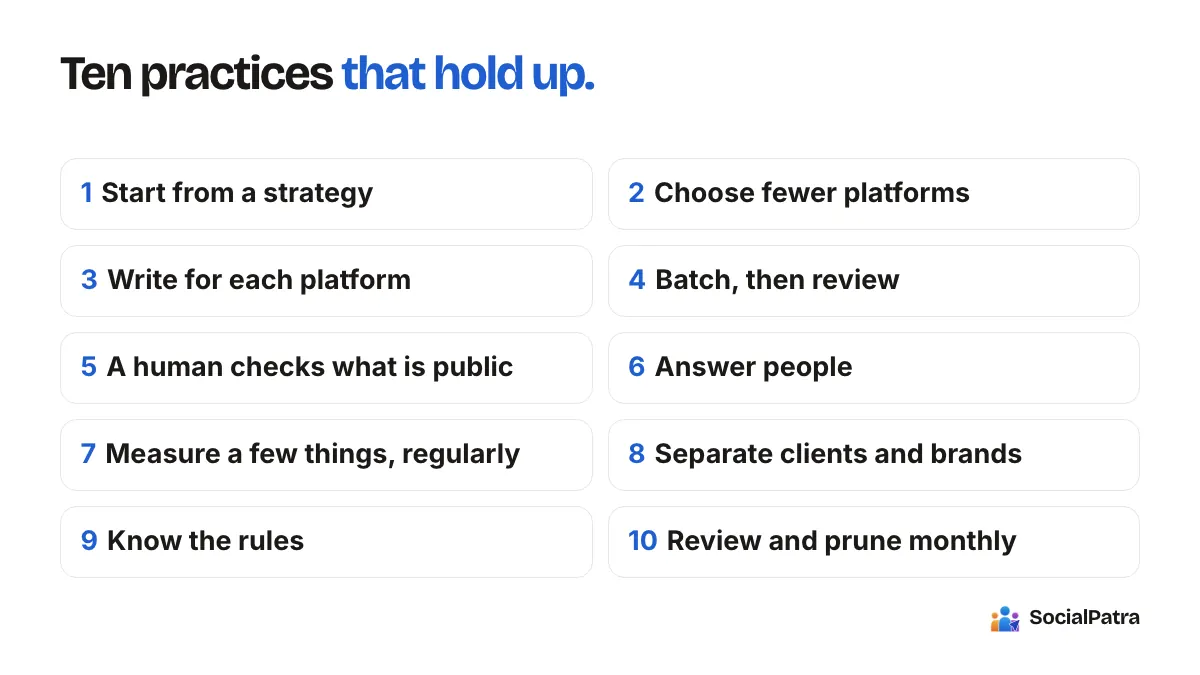
1. Start from a strategy, then pick tools
Automation multiplies whatever you feed it. A clear idea of your audience, your three or four content themes and your goals makes every tool more useful. Without it, you're just publishing faster. Write down who you're talking to and what you want them to do, then build the calendar.
2. Choose fewer platforms, and do them properly
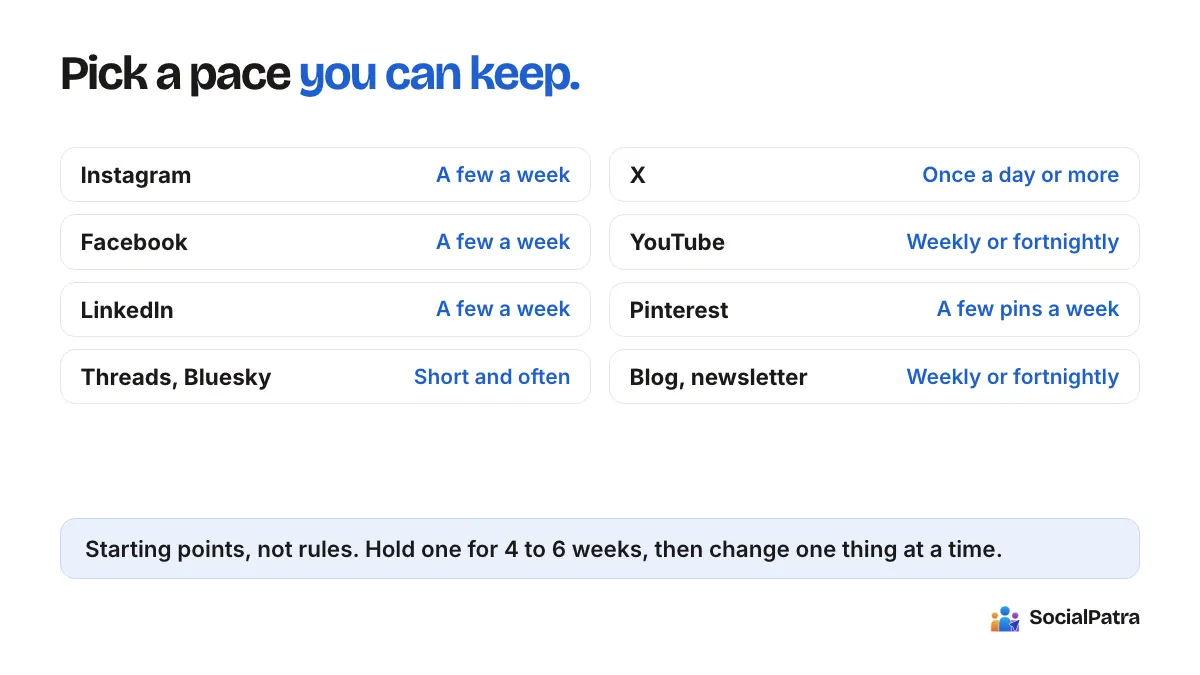
It's tempting to be everywhere. SocialPatra can connect to a wide set of networks, including Facebook, Instagram, LinkedIn, Twitter (X), Threads, Pinterest, Reddit, YouTube, Mastodon, Bluesky and more, but the best practice is to pick the two or three where your audience actually spends time. Use the rest only when a clear reason exists. See how often to post on each.
3. Write for each platform
Limits and norms differ. Twitter (X) allows 280 characters, Bluesky 300, Threads and Mastodon 500, Instagram captions 2,200 with media required, LinkedIn 3,000. A single piece of content usually needs reshaping for each, not just pasting.
4. Batch, then review
Planning content in a weekly or monthly block is more efficient than daily scrambling, and it gives you room to review. A reasonable rhythm is to batch once, read everything aloud, schedule it, and keep a few open slots for live moments. Our content calendar and batching article goes further.
5. Keep a human in the loop on what's public
Whether it's a teammate approving a post or you reading AI output before it goes out, there should be a review step. SocialPatra lets you route a post for approval so it's approved or rejected before it goes live. For feeds and recurring posts, start with drafts and review them, and only move to auto-publish once the output has proven consistent.
6. Answer people
Engagement is two-way. Reserve a small block of time for replies each day. Saved replies handle repeated questions, and you review them before sending. The point of freeing up time through automation is to spend it on this.
7. Measure a few things, regularly
Decide on a couple of metrics tied to your goal, and look at them weekly. Cross-platform analytics show reach, impressions, engagement and clicks. See which posts earned conversation, not just views, and plan more like them. We cover choosing numbers in metrics that matter.
8. Separate clients and brands properly
If you manage more than one brand, keep their accounts, schedules and teams apart. Each client in its own workspace prevents the classic mistake of posting one client's content to another's page.
9. Know the rules
Platforms update their terms, and what's allowed changes. Automation of publishing is broadly standard, while automated engagement and bulk follow behavior is where accounts get into trouble. Disclosure rules for sponsored content also apply regardless of how you publish. Our overview of compliance and legal basics is a good starting point.
10. Review and prune every month
Once a month, look at what you automated. Remove what isn't working, tune what is, and ask whether a manual step would serve you better. A tool setup that nobody revisits drifts out of date.
What good looks like for two kinds of user
The solo creator runs one or two main platforms plus a newsletter. Their week is: one writing session, a queue loaded for the next seven days, ten minutes daily on replies, and a short look at results on Friday. The automation here is time slots, maybe an RSS feed from their blog landing as drafts, and an AI draft now and then.
The agency has a workspace per client, each with its own accounts and team. Their week is: a planning session per client, bulk import for larger campaigns, approvals where clients need to sign off, and reporting that stays within each workspace. Automation saves them from duplicating effort across ten clients while keeping the work separated.
What isn't different
Some things haven't changed no matter how good tools get. Audiences still respond to specific, useful, honest content. Consistency still beats bursts. Replies still build loyalty. And a human who cares about the account still outperforms a pipeline that doesn't. The best practices above are mostly about protecting those things while the tools take care of the plumbing.
FAQ
Do I need AI in my social media workflow?
No. Scheduling, time slots and bulk import work without it. AI is useful for first drafts if you're on a plan that includes it, but it isn't required.
How much of my social media should be automated?
Automate delivery and repetitive preparation. Keep strategy, real-time reactions and meaningful conversations manual.
Are automation tools allowed by the platforms?
Scheduling and publishing through official connections are standard. Behaviors like mass-following or automated commenting on strangers can violate platform rules, so avoid them.
How often should I review my automation setup?
Monthly is a good default. Check what's performing, remove what isn't, and confirm that your connected accounts and schedules are still correct.
Build a calmer, more consistent posting routine. Pick a plan.
Every practice above is easier to hold to with social media automation that keeps a human approval step in the loop.