Social Media Automation: Legal and Compliance Basics
A plain-language overview of platform terms, ad and sponsorship disclosure, consent and data privacy for people who schedule and automate social media. General information, not legal advice.
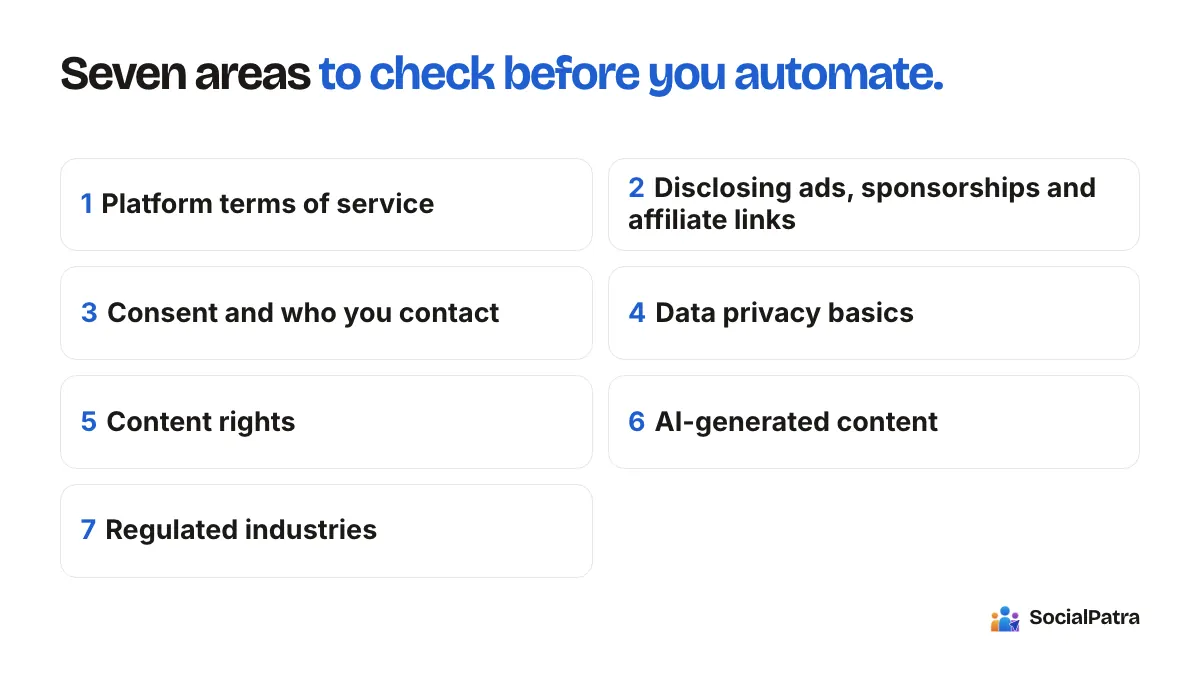
This is general information to help you ask the right questions. It is not legal advice, and rules vary by country, platform and industry. If you run ads, collect personal data or work in a regulated field such as finance or health, talk to a qualified professional.
With that said, most people who schedule and automate social media aren't doing anything legally exotic. They are publishing posts, sometimes sponsored ones, sometimes with customer information involved. The risks come from a few predictable places: breaking a platform's rules, skipping a required disclosure, using people's data carelessly, or posting content you don't have the right to use. Here's how to think about each.
1. Platform terms of service
Every network has rules about what automation is allowed, and those rules decide whether your account stays in good standing. You agree to them when you create the account, and they can change.
In broad terms:
- Publishing and scheduling through the platform's official connection is a normal, supported use. When you connect an account, you authorize it through the platform's own sign-in and permission screen, and posts go out through that approved route.
- Automated engagement is where accounts get into trouble. Mass-following, mass-unfollowing, bulk commenting on strangers' posts, fake likes and automated direct messages to people who haven't asked to hear from you are commonly restricted. Platforms may limit or suspend accounts that do this.
- Buying followers, engagement or fake accounts is prohibited on most networks.
- Spammy repetition (identical posts across many accounts, or posting the same link over and over) can be treated as spam even if you are technically within rate limits.
The safest posture is to automate your own publishing and reporting, and keep human-to-human interaction human. We discuss this split in what to automate vs post manually and the failures to avoid in automation mistakes.
Read the current terms for each network you use. They are the real authority, and anything summarized secondhand, including this article, can be out of date.
2. Disclosing ads, sponsorships and affiliate links
If you're paid, given free products, or earn commission for a post, many jurisdictions expect you to say so clearly. The intent is that an audience shouldn't mistake advertising for an independent opinion.
Principles that apply in most places:
- Make the disclosure clear and easy to notice. Putting it at the top of a caption or in the post itself is better than burying it in a pile of hashtags or behind a "more" link.
- Use plain words. Terms like "ad", "sponsored" or "paid partnership" are understood. Vague phrases are not.
- Use the platform's own labels where they exist. Several networks offer built-in paid partnership or promotion labels. Using them when relevant is a good habit, but check that they appear on the final post.
- Disclose affiliate relationships. A link that pays you when someone buys is a material connection.
- Both parties are responsible. Brands and creators usually share responsibility for compliant disclosure.
Regulators in different countries publish their own guidance on endorsements and influencer marketing. The US Federal Trade Commission, the UK's advertising and consumer authorities, and India's Advertising Standards Council all have published material you can read for specifics.
Automation tip: a scheduled post is easy to forget about. If you schedule sponsored content weeks ahead, put the disclosure in the post text when you write it, not as a task for publishing day. Because scheduled posts remain editable until they publish, you can also double-check wording during your weekly queue review. For teams and agencies, the approval step is a good place to confirm that every sponsored post has its disclosure: a post can be sent for approval, then approved or rejected before it goes live. Our guide to agency workspaces explains how to keep each client's content and reviewers separate.
3. Consent and who you contact
If your automation touches people directly, consent matters.
- Direct messages and email. Contacting people who haven't asked to hear from you can break platform rules and, for email and messaging, anti-spam and privacy laws in many countries. Get permission before you add someone to a list, keep a record of it, and honor unsubscribe requests.
- Photos and videos of people. If someone is identifiable in your content, you generally need their permission, especially for commercial use. For minors, extra care applies.
- Customer stories and testimonials. Get explicit permission before posting a customer's name, photo or words. Never invent testimonials. Fabricated reviews can be illegal as well as harmful to trust.
- Contests and giveaways. These often have their own legal requirements, such as terms, eligibility rules and platform promotion guidelines. Read the platform's promotion policy first.
4. Data privacy basics
Social media work touches personal data more often than people expect: customer comments, messages, names, email addresses, and the analytics around your audience.
A few foundations:
- Collect only what you need. If you don't need a piece of data, don't gather it.
- Be transparent. Tell people what you collect and why, usually through a privacy policy linked from your profile or site.
- Know which laws may apply. Depending on where you and your audience are, rules such as the EU and UK GDPR or India's Digital Personal Data Protection Act can apply. They are generally triggered by where the people are, not just where you are.
- Handle messages carefully. Private messages and inbox content are personal. Limit who on your team can see them, and don't copy them into other tools casually.
- Use access controls. Give team members only the access they need, and remove it when they leave. SocialPatra supports roles and per-client workspaces, which helps you keep access narrow. See agency workspaces for how roles work.
- Protect credentials. If you use API keys to connect your own tools, treat them like passwords, give each key only the permissions it needs, and revoke keys you no longer use.
5. Content rights
Scheduling doesn't change who owns what you post, but automation can multiply a mistake.
- Images, music and video. Use material you created, licensed or have permission for. Copyright claims are not softened because a post was scheduled. Platform music libraries have their own conditions, and business accounts often have narrower rights than personal ones.
- Reposting others' work. Sharing a link is normally fine. Copying someone's full article or image without permission isn't. When you use RSS automation to share content, share feeds you own or have the right to use, link back to the source, and add your own commentary.
- Trademarks and claims. Be careful with competitors' names and with factual claims about your own product. Only claim what you can support.
6. AI-generated content
AI tools introduce a few extra considerations.
- Accuracy is your responsibility. If a generated post states a fact, a price or a promise, verify it before publishing. AI Generate gives you drafts to edit and review. AI generation is part of the paid plans.
- Disclosure rules are developing. Some platforms ask creators to label realistic AI-generated or altered images and video, and some regulators are looking at AI transparency. Check the current rules for each platform and market you work in.
- Don't impersonate. Never use AI to pretend to be a real person or to fabricate endorsements, reviews or quotes.
7. Regulated industries
If you work in finance, health, legal services, real estate, alcohol, gambling or similar areas, extra advertising rules often apply: required disclaimers, restricted claims, and sometimes pre-approval of marketing material. Build those into your process. A review or approval step before anything is published is especially valuable here, and a written checklist for each post type is cheap protection.
A practical compliance checklist
Run through this before scheduling a batch:
- Does the post follow the terms of every platform it will be published on?
- Is any paid, gifted or affiliate relationship clearly disclosed in the post itself?
- Do you have permission for every image, clip, track and testimonial?
- Is every claim something you can support?
- Are you contacting only people who have agreed to hear from you?
- Who can see inbox messages and customer data, and should they?
- For regulated topics, has the right person approved the post?
Keep a short record of your decisions. If a question comes up later, being able to show a process matters.
FAQ
Is it legal to schedule social media posts?
Yes. Scheduling through official connections is standard practice. The legal and policy issues come from what you post and how you interact with people, not from the act of scheduling.
Do I have to disclose sponsored posts even if they are scheduled?
Yes. The rules apply when the post is published, whatever the method. Include the disclosure in the post when you write it.
Can I automate comments or DMs?
Be cautious. Bulk or unsolicited automated interactions are commonly restricted by platforms and may breach privacy or anti-spam rules. Reserve automation for your own publishing and reporting.
Where can I get definitive answers?
From the platforms' current terms, your local regulator's published guidance and a qualified professional. This article is a starting point only.
Schedule with confidence and keep a human in the review loop. Pick a plan.