How Often Should You Post on Social Media?
A practical, platform-by-platform way to choose a posting frequency you can sustain, plus how to set it up with scheduling and balance automated posting with live engagement.
"How often should I post?" is one of the most asked questions in social media, and one of the least honestly answered. You'll find confident numbers in plenty of places, usually with no way to check where they came from. The truth is that the right frequency depends on your platform, your audience, how much good material you have, and how long you can keep it up.
So this article doesn't hand you a magic number. It gives you sensible starting points for each major platform, a method for finding your own, and a clear view of how automated posting and live engagement fit together. Everything here is practical guidance, not a statistic, and you should treat the starting points as experiments to test.
The principle: consistency beats volume
A frequency is only useful if you can maintain it. Three posts a week for a year beats daily posting for a month followed by silence. Audiences, and the algorithms that serve them, respond to steady presence.
Before choosing a number, answer three questions:
- How many genuinely useful posts can I produce each week without padding?
- How much time can I spend on replies? Every post creates conversation, and that conversation needs you.
- Which platforms actually matter for my goals?
Start with a rate that feels slightly easy. You can always increase it. It is much harder to recover from burnout.
Starting points by platform
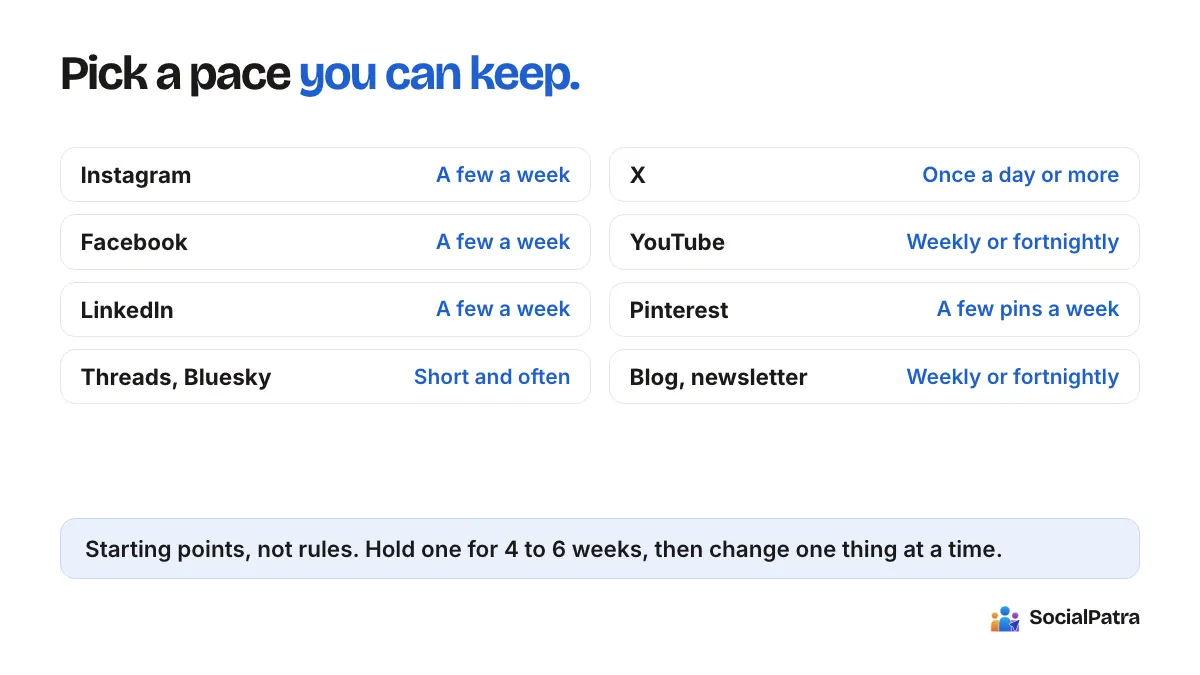
These are conservative starting points, not rules. Test them against your own results.
Instagram posts need an image or video, so frequency is tied to how fast you can make visuals. A few feed posts per week is a manageable starting point for most solo creators, with stories added when you have something timely. Quality of the visual and the caption matters more than squeezing in an extra post.
For a business page, a few posts per week is a reasonable start. Facebook is flexible about formats and long text, so it works well for announcements, events and longer updates. Groups behave differently: community norms there matter more than a schedule.
LinkedIn tends to reward thoughtful posts from real people rather than a stream of company updates. Starting with a few posts per week, mostly from personal profiles with the occasional company page post, is a sensible approach. Posts can run to 3,000 characters, so there is room for depth when you have something to say.
Twitter (X)
The pace on X is faster and individual posts have a short life, so posting more often is normal there. Posts are limited to 280 characters. Many people post once or more per day, with replies and conversation adding most of the visibility. If you can't engage daily, a lighter, steadier cadence is better than bursts.
Threads, Bluesky and Mastodon
These are conversation-oriented, with posts capped at 500 characters on Threads and Mastodon and 300 on Bluesky. Frequent short posts and replies fit the culture. Treat them as places to talk, not just to broadcast.
TikTok and YouTube
Both depend on video, so frequency is set by production. On TikTok, a few videos per week is demanding but common for people growing there. On YouTube, a regular, predictable schedule (weekly or every two weeks) matters more than a high count. Pick what you can produce well.
Pinterest content has a long life, so steady posting over time matters more than daily volume. Fresh pins on a regular basis, a few per week to start, usually work better than occasional large dumps.
Blogs and newsletters (Medium, Dev.to, Hashnode, WordPress)
Long-form content takes real effort. A predictable rhythm, such as one piece per week or per fortnight, serves readers better than irregular bursts. You can then share each piece across your social accounts as separate posts over the following days.
How to find your own rhythm
Starting points are only the beginning. Here is a simple process:
- Pick a frequency per platform and hold it for four to six weeks. Changing it every few days tells you nothing.
- Note which posts got replies, saves, shares and clicks, not just views. Cross-platform analytics put reach, engagement and clicks in one view.
- Adjust one thing at a time: add a post, or change the time, but not both.
- Keep what the data supports and drop what it doesn't.
SocialPatra can also suggest posting times. Smart Scheduling Recommendations look at your posting history and propose slots for a chosen platform and date range, and the more history you build, the better those suggestions get. See the guide to time slots and schedules.
Putting the schedule on autopilot
Once you've picked a cadence, make it automatic. Set recurring time slots for each account, so each platform follows its own rhythm. Mix it up with different posting schedules for weekdays and weekends. Scheduled posts stay editable in your queue until they publish, so a slot is a plan, not a commitment you can't change.
For a steady supply of content, there are a few options. Bulk CSV import lets you plan a month in a spreadsheet. RSS automation turns new items from a feed into posts. Autopilot generates a rotating calendar of product posts, at most one per day per configuration, so it doesn't flood your feed on its own.
One practical note: platforms and plans can limit how many posts you publish per day. If you're planning a heavy cadence, check your plan's limits on the pricing page so your schedule doesn't run into a cap.
Automated vs manual engagement
Frequency covers what you publish. Engagement covers what you do afterwards, and the two are not equal.
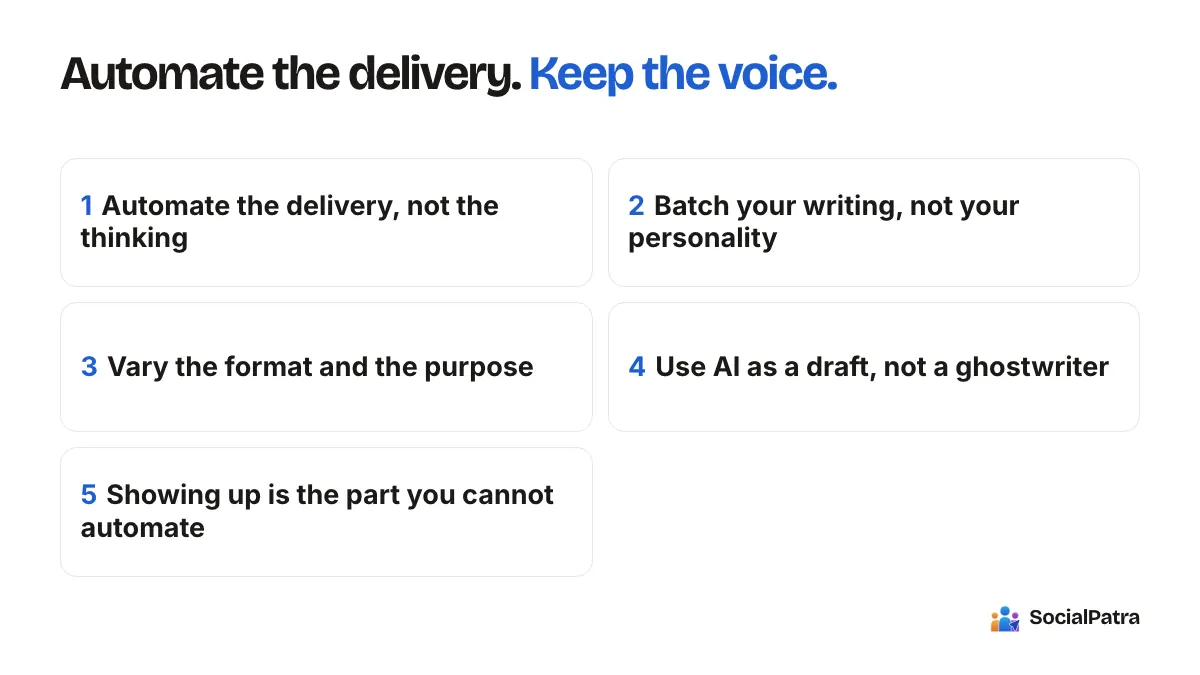
What automation does well: getting posts out on time, consistently, on every platform. It never forgets a Tuesday.
What needs a person: replying to comments, answering questions, thanking people who share your work, and joining conversations. These are the actions that turn followers into a community, and they tend to be the hardest to fake. Automated engagement such as bulk commenting or following can also run afoul of platform rules. See our overview of compliance basics.
A good split is to automate publishing and keep engagement mostly manual, with tools that reduce the friction. The social inbox collects comments, mentions and messages from connected accounts and lets you reply from one place. Saved replies cover common questions, and you can still review them before they send.
A useful rule of thumb: for every minute you save on scheduling, spend some of it on replies. Posting less and answering everyone usually beats posting more and answering no one.
Match frequency to your situation
Solo creator: one or two platforms, a handful of posts a week, standing time slots, a Friday check on results, and ten minutes a day for the inbox. Resist adding networks until the current ones feel easy.
Agency: cadence is set per client, so use a separate workspace for each. That way, one client's schedule, accounts and team stay separate from another's, and you can tune frequency to each audience. For a wider look at the topic, see managing multiple accounts.
When to post more, and when to post less
Consider increasing your frequency when you have a backlog of good material, your engagement is steady or growing and you're keeping up with replies, and the platform clearly rewards volume. Consider cutting back when quality is slipping, replies are going unanswered, or you're posting just to fill slots. A smaller number of better posts usually serves you more than a full calendar of filler.
FAQ
What is the best number of posts per day?
There isn't one. It depends on the platform, your audience and how much quality content you can produce. Pick a rate you can sustain for months and adjust based on your own results.
Should I post the same thing on every platform?
Usually not. Character limits and norms differ, so adapt each post. Twitter (X) allows 280 characters while LinkedIn allows 3,000, for example.
Can I schedule a month of posts at once?
Yes. You can build a queue by hand, import a spreadsheet with bulk CSV import, or use features like RSS and Autopilot. Review the queue weekly in case anything needs to change.
Is it okay to automate comments and replies?
For anything beyond routine questions, no. Use saved replies to speed up common answers, review them, and write the rest yourself.
Pick a rhythm and let the schedule keep it. Pick a plan.