How to Schedule YouTube Uploads and Grow Your Channel
Schedule YouTube videos and Shorts with titles, tags, thumbnails and privacy settings, and build a consistent upload rhythm that helps a channel grow.
Most small YouTube channels do not stall because of bad ideas. They stall because uploads become irregular. A video goes out on a Tuesday, then nothing for nine days, then two in a row. Viewers who liked the first one cannot tell when to expect the next.
Scheduling does not make a video better. It does make showing up on a rhythm much easier, and rhythm is something you control.
What scheduling does and does not do for growth
Let us keep expectations honest. No scheduler can promise views. What a schedule gives you:
- Predictability for your audience. If subscribers learn that your videos land on Thursday mornings, some will come looking.
- Less last-minute stress. You finish editing when you are ready, not when the clock says go.
- Room to batch. Record and edit several videos in one stretch, then spread them across weeks.
- A buffer for busy weeks. When life gets in the way, the queue keeps your channel moving.
What it does not do: it will not fix a weak title, a dull first thirty seconds, or an unclear topic. Those still decide whether a video gets watched.
What SocialPatra supports for YouTube
SocialPatra connects to your YouTube channel and publishes video. A few things to know:
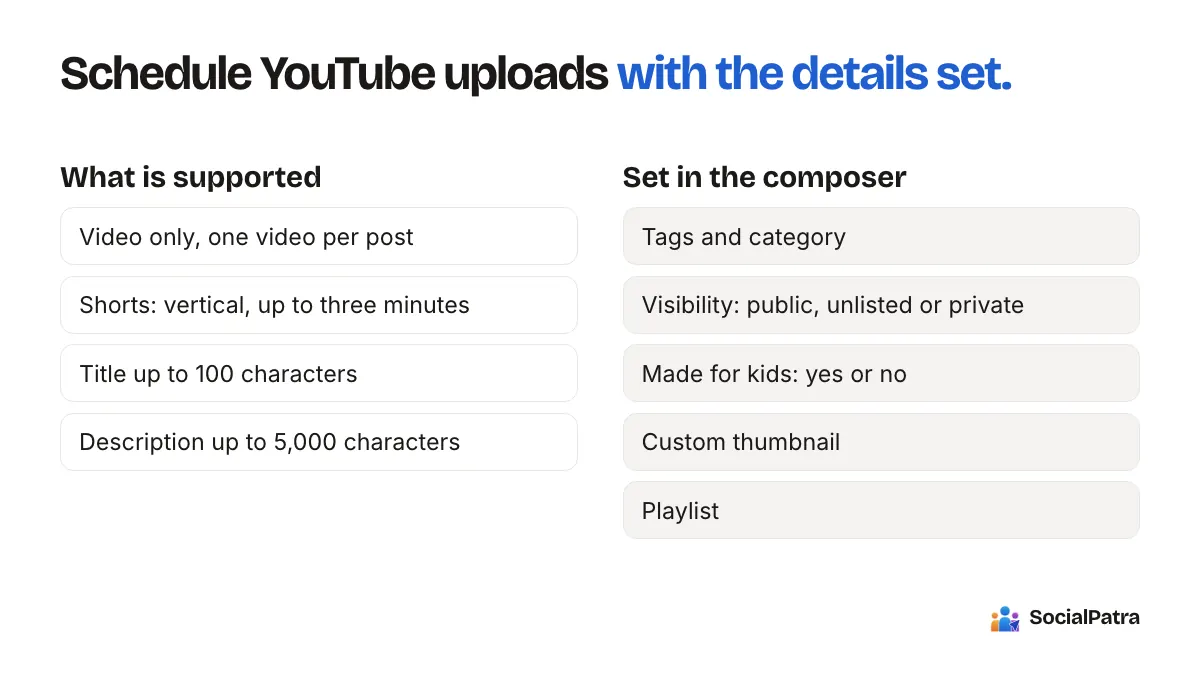
- YouTube is video only. You cannot post a text update or a photo to YouTube, so it appears as an option when you are creating a video.
- One video per post. Each scheduled post carries a single video file.
- Shorts are supported. A Short is a vertical video up to three minutes long. You choose the Reel/Short post type, upload a vertical clip, and YouTube places it in the Shorts shelf by itself.
- Titles can be up to 100 characters. The composer tells you if a title is too long, instead of cutting it off silently.
- Descriptions can run up to 5,000 characters.
You can also set the details that usually take the most clicks inside YouTube's own uploader:
- Tags, which you can type in or pull from hashtags in your description
- Category
- Visibility: public, unlisted or private
- Made for kids: yes or no
- A custom thumbnail
- A playlist, so the video drops into the right series
If a thumbnail or playlist step fails, the video itself still goes up. You can fix the extras afterwards in YouTube Studio.
How to schedule a video, step by step
- Connect your channel from the connections page. If you have not connected anything yet, the getting started guide covers it.
- Open the composer and choose the video post type.
- Upload the video and write the title and description.
- Add tags, a thumbnail and a playlist if you use them.
- Choose visibility. If you want the video public on schedule, pick public.
- Set the date and time. SocialPatra holds the video and uploads it at the time you picked.
- Save. The video sits in your queue until it goes out, and you can still edit or reschedule it before then.
One practical note: because the upload happens at your scheduled time, leave a little breathing room for large files. Do not schedule something for the exact minute you hope it appears in viewers' feeds without allowing for upload and processing.
Building an upload rhythm that sticks
You do not need to post daily. You need a cadence you can keep for months.
For a solo creator, one long video a week is a strong, realistic target. Add one or two Shorts if you can reuse footage you already shot. Block two hours on a weekend, edit a few things, and queue them.
For a business or an agency running client channels, think in a monthly plan. Pick a content theme per week. Prepare videos together, schedule the month, and review it on the first of each month. Each client should sit in its own workspace so channels never get crossed. Read how agency workspaces work.
A simple routine:
- Monday: plan the week's topics and titles.
- Weekend batch: film and edit.
- Sunday evening: schedule everything for the coming week, with 15 minutes spent on each title and thumbnail.
- Thursday: read your comments and reply.
- Monthly: look at which videos kept people watching and make more like them.
Use Shorts as a doorway, not a replacement
Shorts reach different people than long videos, and a short clip pulled from a longer one can point viewers to the full video. Cutting a 60-second highlight from each long video gives you extra uploads without extra filming.
The same vertical clip works as an Instagram Reel too. You can post a Reel to Instagram and a Short to YouTube from one session, and see how to line up multiple platforms in 30 minutes.
Keep an eye on what happens after upload
Scheduling is only half the work. After each video goes live:
- Reply to comments early. Your social inbox pulls comments in so you are not hunting through Studio.
- Check how the video performs, and compare it with your other videos using post analytics.
- Note what you would change in the next title or thumbnail.
That loop of publish, observe, adjust is what turns a schedule into growth. If you are building a wider system around it, see social media automation best practices.
FAQ
Can I schedule YouTube Shorts?
Yes. Choose the Reel/Short post type, upload a vertical video up to three minutes long, and set a time. YouTube treats it as a Short on its own.
Can I set a custom thumbnail and playlist when scheduling?
Yes. You can add a custom thumbnail, choose a playlist, add tags, set a category and pick visibility. If the thumbnail or playlist step fails, the video still publishes and you can fix the extra in YouTube Studio.
Can I post text or images to YouTube?
No. YouTube posts through SocialPatra are video only, one video per post.
How often should I upload?
The one you can keep up. For most small channels that means one long video a week, plus Shorts when you have clips to spare. A steady pace beats short bursts.
Ready to put your uploads on a calendar? Pick a plan.