TikTok Automation: Is It Possible and Worth It?
A practical look at scheduling TikTok posts with a tool: what is possible, how TikTok handles third-party posting, what to automate, and how SocialPatra fits.
TikTok is the platform where people ask this question most, and get the most contradictory answers. One person says scheduling works fine. Another says their posts only showed up as drafts. Both can be right, because it depends on which tool you use and what TikTok has approved for that tool.
Here is the plain version.
Is TikTok automation possible?
Yes, with limits. TikTok offers a posting interface for third-party tools, but it does not hand it out freely. A tool has to apply, show TikTok exactly how the posting flow works, and pass a review. Until a tool is approved, its posts can be restricted. In practice that can mean posts land as private or as drafts waiting in your TikTok inbox instead of going public on their own.
That is not a quirk of any one scheduler. It is how TikTok protects its feed from spam, and it explains why you will find tools that promise TikTok scheduling but behave differently from each other.
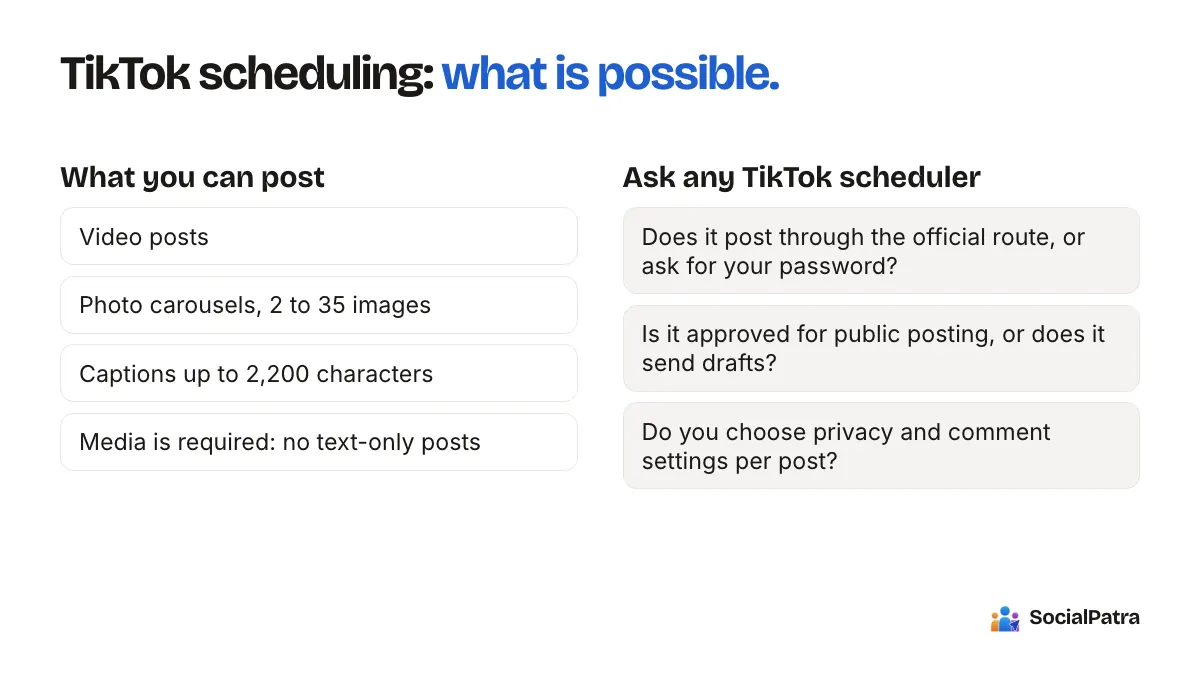
When you evaluate any TikTok scheduler, ask three things:
- Does it post through TikTok's official route, or does it ask for your password?
- Is it approved for public posting, or does it send drafts you finish in the app?
- Does it make you choose privacy and comment settings for each post, as TikTok requires?
TikTok with SocialPatra
Here is what you get when TikTok sits next to your other accounts.
SocialPatra connects TikTok through TikTok's official connection screen, so you never share your password. You compose a TikTok post in the same place as your Reels, Shorts and everything else. TikTok sets its own visibility rules for posts from third-party tools, and those rules apply to every scheduler, so check your connection status for what applies to your account.
What you can post to TikTok:
- Video posts
- Photo carousels, from 2 up to 35 images (a carousel is images only; TikTok does not allow a video and images in the same post)
- Captions up to 2,200 characters
- Media is required. TikTok has no text-only posts.
- One post at a time. TikTok posts are scheduled by hand, and are not included in Autopilot, RSS automation or recurring posts.
The composer follows TikTok's posting rules, so for TikTok you choose who can view the post, and whether comments, Duet and Stitch are allowed. You also mark if the post promotes a brand or product. These choices are yours, per post. That is by design: TikTok requires that the creator, not the tool, makes them.
Put TikTok in the same weekly rhythm as your other platforms, and connect your accounts and schedule a first post in minutes.
Is TikTok automation worth it?
Even with a fully approved tool, scheduling TikTok helps less than it does elsewhere. Here is why.
What TikTok rewards. The platform tends to favour content that feels native: trending sounds, quick edits, on-screen reactions, and videos shot in the moment. A scheduler cannot make a video feel native. It can only deliver it on time.
What you save by scheduling. Time. If you shoot videos in a batch on one afternoon, scheduling means you do not need to remember to upload one at 7pm on Tuesday. For a business posting three times a week, that adds up.
What you lose if you are not careful. Timeliness. A trend that is hot on Monday is stale by Friday. Scheduling a week ahead works for evergreen material (tips, how-tos, product demos) and poorly for reactive content.
So a fair verdict is this: automation is worth it for the repeatable part of your TikTok, and a bad idea for the spontaneous part.
What to automate and what to keep manual
Good candidates to schedule:
- Tutorials and how-to clips
- Product showcases and behind-the-scenes footage you filmed in a batch
- Repurposed vertical video that you already post elsewhere
- Photo carousels for tips or step-by-step content
Better done by hand, live:
- Replies to comments, especially video replies
- Anything tied to a current trend
- Duets and Stitches with other creators
- Live streams
Reuse the same vertical video across platforms
The strongest argument for scheduling TikTok is not TikTok itself. It is that one vertical video can go to several places. Reels, YouTube Shorts and TikTok all take short vertical clips. If you film once and publish across them, your cost per platform drops sharply.
You can already do part of this with SocialPatra: schedule Instagram Reels and YouTube Shorts together from one composer, and add TikTok to the same plan. To see how to line up several platforms at once, read how to schedule across multiple platforms in 30 minutes.
What not to do
- Do not use tools that request your TikTok password. Use official connection screens only.
- Do not buy followers, likes or views. They do not engage and they can hurt your reach.
- Do not run bulk comment or follow bots. These get accounts restricted, same as on every other platform. See the mistakes that sink most automation setups.
FAQ
Can I schedule TikTok videos with SocialPatra?
Yes. Connect your TikTok account, choose who can view the post and your comment, Duet and Stitch settings, and set a time. TikTok applies its own visibility rules to posts from third-party tools, so check the connection status in your account for what applies to you.
Why do some TikTok posts from schedulers end up as drafts?
Tools that are not yet approved by TikTok for direct posting can only send content to your TikTok inbox as a draft, which you then publish inside the app. Approved tools can post directly.
Does scheduling hurt reach on TikTok?
We have no evidence that scheduling itself changes how TikTok distributes a video, and we would not invent any. What affects reach is whether the video is good and whether people watch it.
What kinds of TikTok posts are supported?
Videos and photo carousels (2 to 35 images). TikTok does not allow text-only posts, and a carousel cannot mix photos and video.
Want TikTok and your other platforms running on one schedule? Pick a plan.