Social Media Automation for E-commerce and Leads
Practical automation workflows for online stores and lead-driven businesses: product posts, tracked links, and a routine that turns attention into visits.
If you sell online, social media does a few specific jobs. It shows people products they didn't know to search for, it keeps past customers in touch, and it sends visitors to a page where they can buy or book. Automation helps with the repetitive middle: producing a steady flow of posts and getting the links right.
It does not make people buy. Nothing in a scheduler can. Anyone promising that automation alone raises sales is skipping the hard part, which is having something people want and saying it clearly. What automation can do is take away the excuses for going quiet. Here's a workflow that holds up for a small store or a service business that lives on inquiries.
Here is where SocialPatra fits: it schedules, publishes, tracks link clicks and shows post analytics, and it works alongside your store, booking tool or CRM.
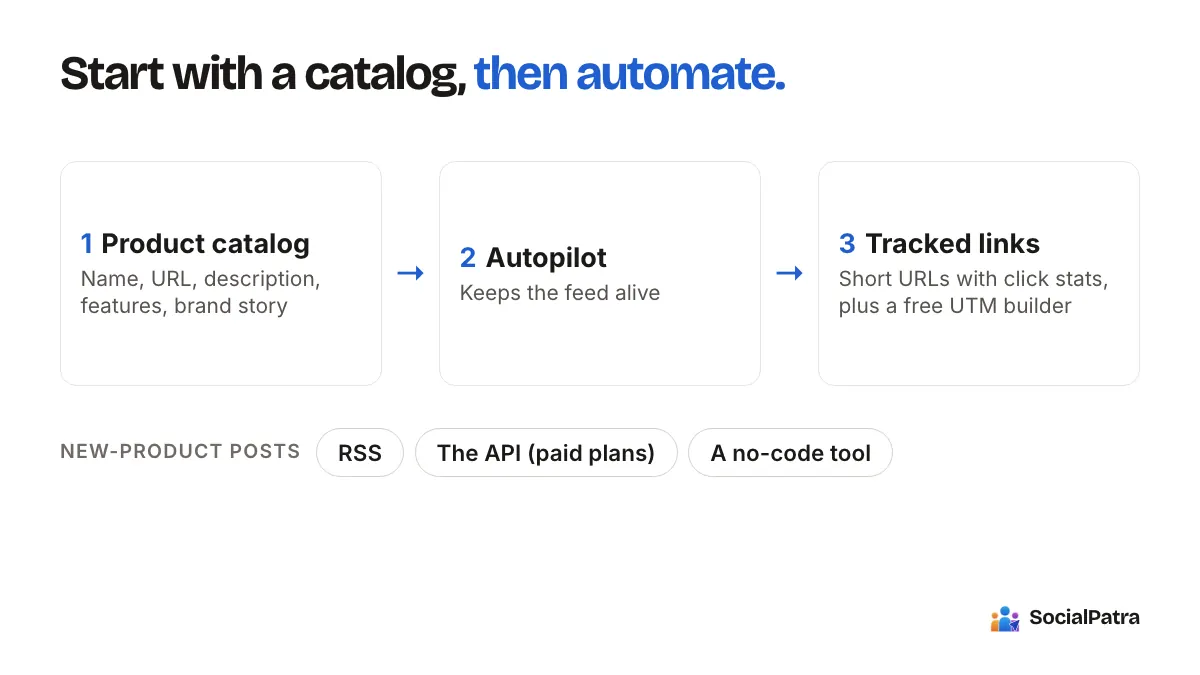
Start with a product catalog, not a content idea
Most stores post product shots when they remember to. A catalog-first approach flips that: put your products in once, and let everything else draw on that record.
SocialPatra's Product Catalog stores, for each product:
- a name and a product URL,
- a post link, which is included in every post about that product,
- a description and a list of features,
- a category,
- a brand story, where you explain the product and the business in your own words.
There's an Auto-fill from URL option, which saves typing if the product page already describes it well. Write the description as if briefing a new employee, because that's roughly how the AI uses it. A product with a vague description produces vague posts.
Let Autopilot keep the feed alive
Autopilot writes new posts about your catalog products on a cadence you choose and schedules them ahead, anywhere from 1 to 90 days. It rotates content styles instead of repeating a sales pitch: promotional, educational, tips, testimonial and behind the scenes. You can pick a copywriting structure such as problem-agitate-solve, and you can preview a sample post before you save anything.
A word on that "testimonial" style. It's an opt-in, not part of the default rotation, because it needs real customer stories to be worth posting. Autopilot is built to tell a typical-use-case story and not to invent quotes, names, ratings or numbers. Still read every draft, and where you have an actual customer comment (with permission), use that instead. It's a good rule for every AI-written post.
Autopilot is a paid-plan feature. Our Autopilot guide goes through each setting.
A sensible starting setup
Start narrow. One config, a few products, two or three accounts, one post a day at most. Read what it writes for a week. If the voice is off, adjust the tone and rerun the preview. Scale up only after the output sounds like your store.
Put tracked links on everything
The point of a post is usually a click. If you can't tell which post sent it, you can't learn anything.
Two simple tools help:
- Short URLs. Create a short link with a custom alias (for example, something readable for a sale), an optional expiry date, and click statistics. Use a different short link for each campaign or platform, and you'll see which one pulls.
- The UTM link builder. This is a free tool on the SocialPatra site, no account needed. It tags a URL with campaign details so your analytics tool can attribute visits.
Then be platform-aware. Links in some places, such as Instagram captions, generally aren't clickable, so the link belongs in your profile or in a Story. Other places treat links as first-class. Pinterest, for example, supports link posts, and that suits product discovery well.
Mix the content, because all promotion gets ignored
A feed that only sells is a feed people mute. A pattern many stores use is a rough rotation of:
- product posts with a clear benefit,
- how-to or care content ("how to season the pan"),
- behind-the-scenes shots of packing orders or making things,
- real customer photos and comments,
- answers to questions customers keep asking.
Autopilot covers part of this. The rest you can batch yourself in a single sitting and schedule. Our guide to batching content and building a library shows the method, and bulk CSV import loads a month of posts at once.
Automate the new-product announcement
Launches are where automation is most useful, because the work repeats. Three approaches, depending on how technical you are:
- Use RSS. If your store's blog or a product feed provides an RSS feed, RSS automation can turn new items into draft or scheduled posts, with AI rewriting and keyword filters. Check what your store platform publishes before you count on this.
- Use the API. On paid plans, you can create API keys with specific scopes and have your store call SocialPatra when a product goes live. See the developer API guide.
- Use a no-code tool. Connect your store event to an automation tool you already use, and have that tool call the API.
Whichever route you choose, publish to draft first while you're testing, so a malformed feed item never goes straight to your customers.
Lead generation for service businesses
If you sell appointments, quotes or consultations, the funnel is the same shape with a different finish line. A post earns attention, a link earns a visit, and a page or message turns that into an inquiry.
What social automation does well here is consistency and speed:
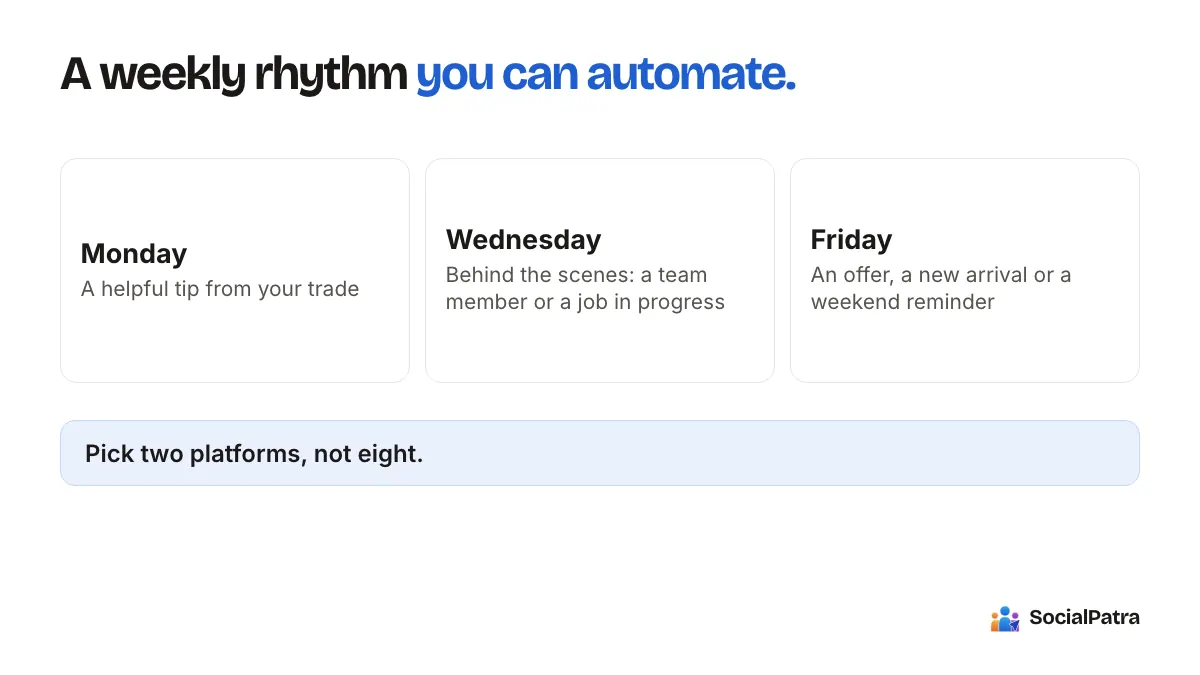
- Consistency. A weekly tip, a before-and-after, a FAQ answer. Prospects check your profile before they contact you, and an active feed reads as a business that's open.
- Speed. When someone comments "how much for X?", the inbox puts it in front of you so you can answer within hours. Saved replies make a human answer fast. See our guide to replies and monitoring.
- A clear next step. End posts with one action. "Book a call: link in bio" beats three options.
Then move the conversation into your own tools, such as your booking system or CRM. We cover the handoff in email, CRM and social together.
What to measure
Don't chase follower counts. For a store or lead business, the useful numbers are clicks on tracked links, which posts earned them, and what those visitors did on your site. SocialPatra's analytics show post performance per platform, and short-link stats show clicks. Pair them with your store's own numbers to see what those clicks turned into. Our piece on tracking post performance explains what's available.
FAQ
Can social media automation increase my sales?
It can keep you visible and send consistent traffic, which gives sales a chance. It can't create demand on its own. Measure clicks and downstream results, and adjust the content, not just the schedule.
What does SocialPatra track for a store?
It schedules and publishes your posts, tracks short-link clicks and shows post analytics per platform, so you know which posts send visitors to your store.
Is Autopilot safe to leave running?
Preview first, start with a narrow setup, and review the posts it schedules, which you can see and edit. Autopilot writes from your product information, so check claims, and use real customer words wherever you have them.
Which plan do I need?
The Free plan covers basic scheduling. Autopilot, RSS automation, recurring posts, analytics and the API are on paid plans.
Ready to build a product feed that runs itself? Pick a plan.