Best Social Media Automation Tools for Small Business
A practical checklist for choosing social media automation software on a small budget, plus what SocialPatra's free plan gives you to start with.
Search "best social media automation tools" and you get page after page of rankings. Few of them tell you what a small business owner actually wants to know: which one will save me real hours, and can I get away without paying yet?
This guide skips the ranking. A list of names goes stale in a quarter. A set of criteria doesn't. Use the checklist below on any tool, including ours, and you'll make a better decision than any top-ten post can make for you.
First, decide what you are trying to automate
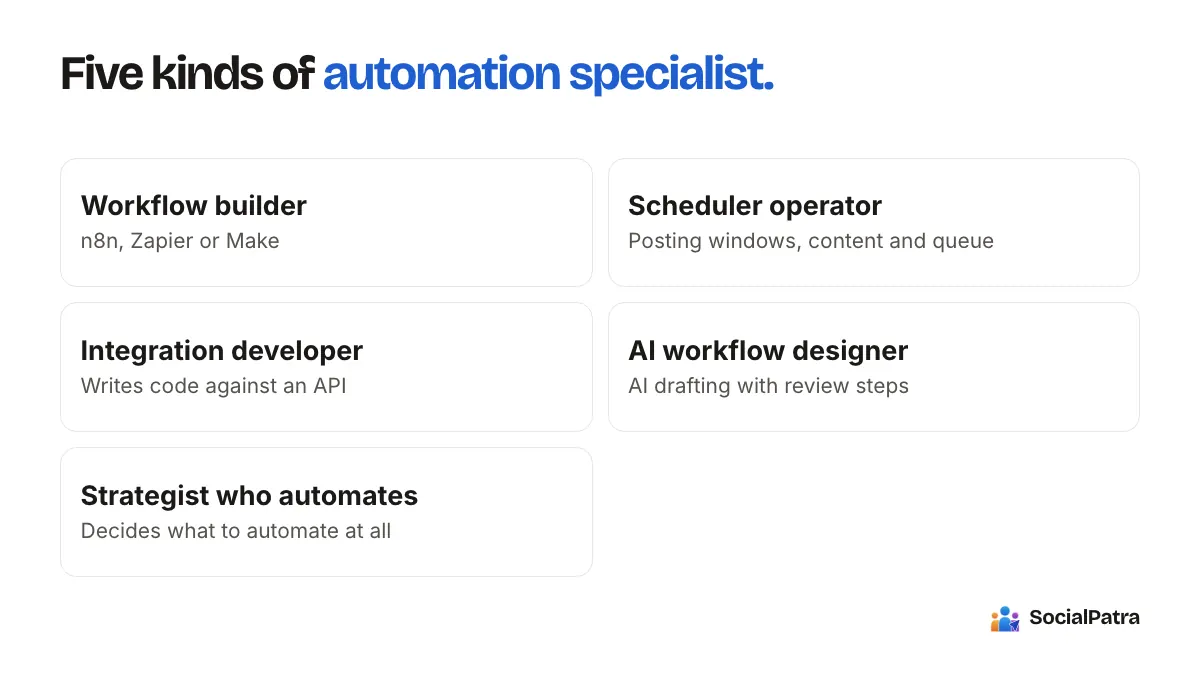
"Automation" covers very different jobs. Most small teams need only one or two of them:
- Publishing: write once, post to several accounts at the time you choose.
- Content supply: something that fills the calendar so you aren't staring at a blank box every Monday.
- Reporting: one place to see what worked, instead of five native dashboards.
- Replies: one inbox for comments and mentions.
- Custom plumbing: your store, form, or newsletter triggers a post.
If you only need the first one, you do not need an enterprise suite. If you need the last one, a plain scheduler may not be enough. Write down your one or two jobs before you open a single pricing page. For help deciding which tasks are worth handing off at all, read what to automate and what to post manually.
The checklist that actually separates tools
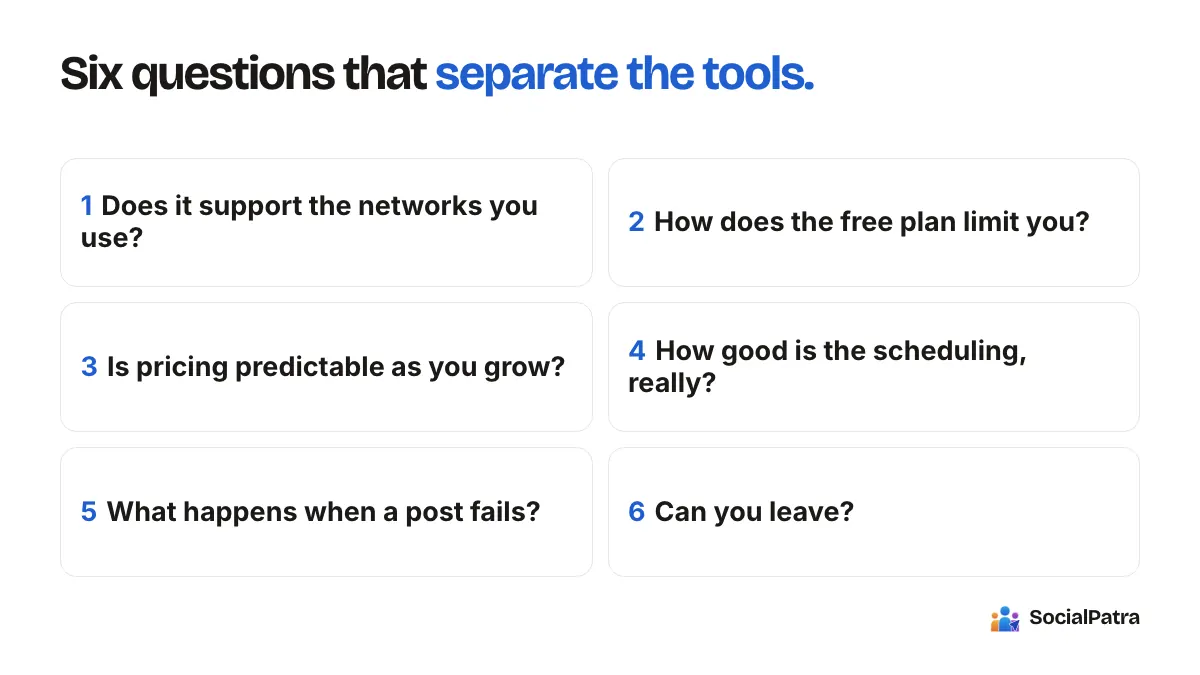
1. Does it support the networks you really use?
Count only the accounts you will connect in the next six months. A tool that supports twenty networks but treats your one important network as an afterthought is worse than a smaller tool that does it well. Check what each network supports: text, images, video, carousels, stories. Support is often partial.
2. How does the free plan limit you?
Free plans exist to get you to pay, so look for the limit that bites first. Typical ones are the number of connected accounts, posts per day, queued posts, and which features are locked. Ask yourself whether you can run your real routine inside those limits for a month. If yes, the free plan is genuinely free. If you hit the wall in week two, it's a trial with extra steps.
3. Is pricing predictable as you grow?
Some tools charge per account, some per seat, some per bundle. Do the arithmetic for your situation today and for the situation you expect in a year: more accounts, one more teammate. Don't trust a headline price; trust your own total. Avoid quoting anyone's price from a blog post, including this one, since plans change. Check the pricing page on the day you decide.
4. How good is the scheduling, really?
Saving time depends on the details. Can you set recurring time slots so new posts fall into your best hours automatically? Can you import a month of posts from a spreadsheet? Can you save drafts and come back? These small things decide whether you spend ten minutes or two hours a week.
5. What happens when a post fails?
Tokens expire, platforms change rules, and uploads fail. A good tool tells you clearly and lets you retry. A bad one fails silently and you discover it when a customer asks why you went quiet. Ask what the failure view looks like before you commit.
6. Can you leave?
Check whether you can export your data, such as analytics, and whether your content lives in a format you can take elsewhere. You probably won't switch. You should still be able to.
Where free tools genuinely work
Free tools are not a scam. A solo owner posting a few times a week to one account can run entirely on a free plan, provided the limits fit. The trade-off is usually one of three things: fewer connected accounts, caps on posts per day, or the locking of advanced features such as analytics, RSS automation, or AI.
SocialPatra's Free plan is built to let one business start publishing today:
- One connected account, ready to publish.
- Two posts per day on each supported platform.
- Basic scheduling with drafts, so you can plan ahead.
- Paid plans add X (Twitter) posting, AI generation, analytics, the developer API, and RSS automation.
That makes Free a good fit for one business with one main channel, and when you add networks or teammates, paid plans grow with you. Current plan details are on the pricing page, and paid plans are priced by accounts and teammates rather than by a fixed bundle.
Why a dedicated scheduler wins
Here is why a dedicated scheduler is the strongest everyday choice for a small team.
- One place for every network. Write once and publish to all your connected accounts instead of juggling each platform's own scheduler.
- Built around a calendar. Queues, drafts, time slots, and reporting come ready to use, so there is no posting logic to build or maintain yourself.
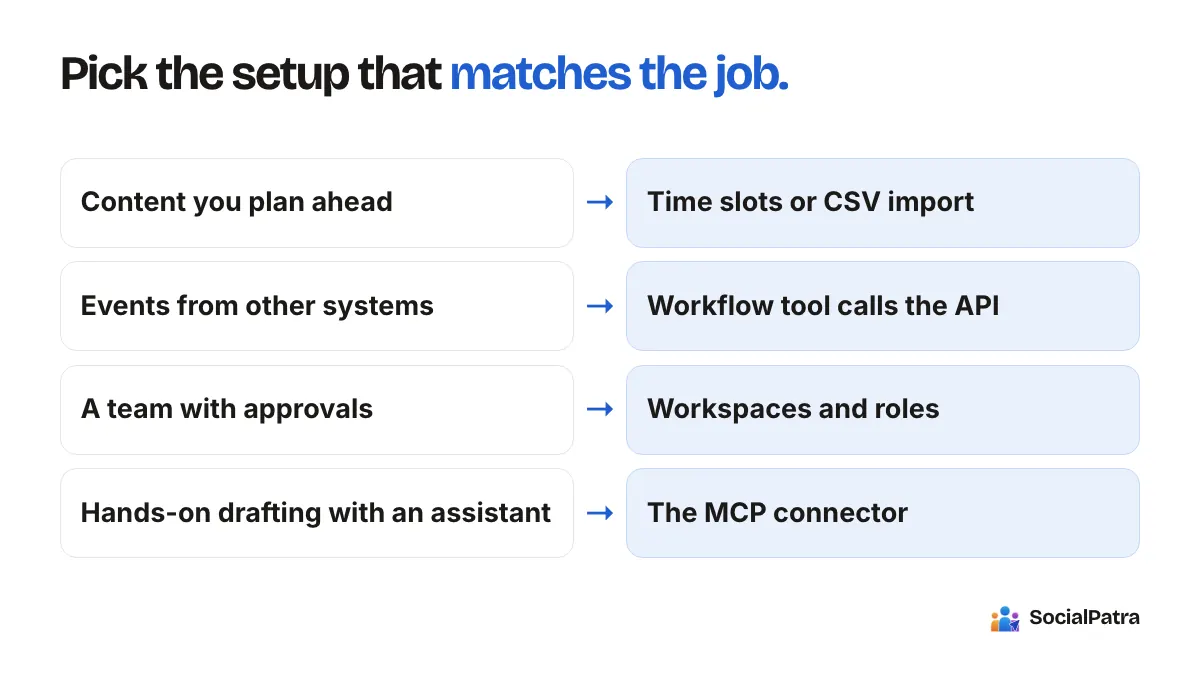
- Automation when you want it. A developer API and RSS automation connect your store, forms, or blog to your posting. See n8n, Zapier and Make with SocialPatra.
- Room to grow. Client workspaces, roles, and approvals are there the day you start managing more than one brand.
Most small businesses get everything they need from one dedicated scheduler.
Budget-friendly for a startup
If cash is tight, a sensible path looks like this:
- Start on a free plan and run your real routine for two weeks.
- Note exactly which limit slows you down.
- Pay for the smallest upgrade that removes that specific limit, not the biggest bundle.
- Revisit the decision every quarter. Drop what you do not use.
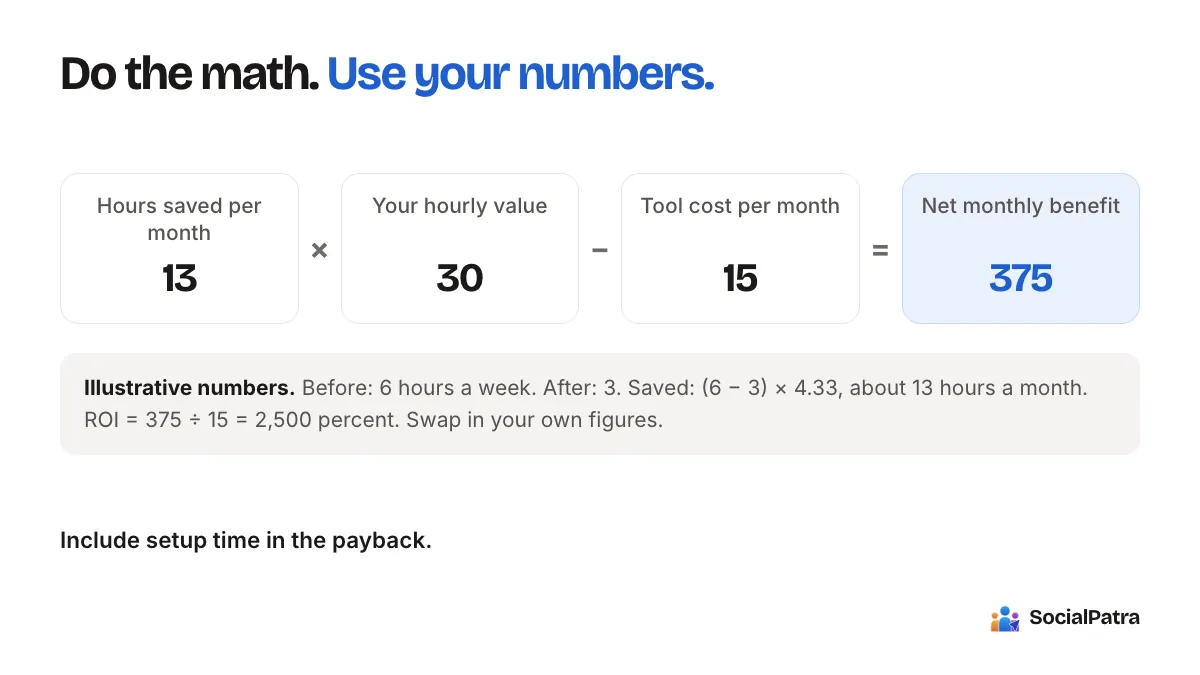
The aim isn't the cheapest tool. It's the lowest cost per hour saved. If you want to put numbers on that, our guide to social media automation ROI has a simple formula.
Where SocialPatra fits
SocialPatra is a dedicated scheduler with some automation around it. The pieces that matter most for a small team:
- Write once and publish to many connected accounts. See getting started.
- Time slots that place posts in your best hours automatically.
- Bulk CSV import to load a month in one go.
- RSS automation to turn a blog feed into posts.
- Analytics across platforms on paid plans.
- Workspaces if you manage more than one brand.
Need your store or forms to trigger posts? The developer API on paid plans lets any workflow call SocialPatra directly.
FAQ
Which social media automation tool saves the most time?
The one whose features match your actual routine. For most small teams, time savings come from batching and scheduling, so a tool with time slots, drafts, and bulk import beats one with a long feature list you never open.
Are free social media tools good enough?
For one account and light posting, yes. Check the limits on accounts, daily posts, and locked features, and make sure your normal week fits inside them before you rely on it.
Do I need a paid plan to automate posting?
Not to start. Basic scheduling works on a free plan. Paid plans add things like more accounts, analytics, AI generation, and RSS automation, so upgrade when a specific limit holds you back.
Can a startup connect its other business apps to SocialPatra?
Yes. On paid plans the developer API lets your store, forms, or workflow tools create posts, while the scheduler handles calendars, queues, and per-network formats for you.
Pick a plan and test the Free plan against your own weekly routine.