Substack API Key: Connect Substack to a Scheduler
What Substack's API key does and does not give you, and the working way to share every new Substack post on social media: your publication's RSS feed in SocialPatra's RSS automation.
By SocialPatra Team · Last updated 18 November 2026
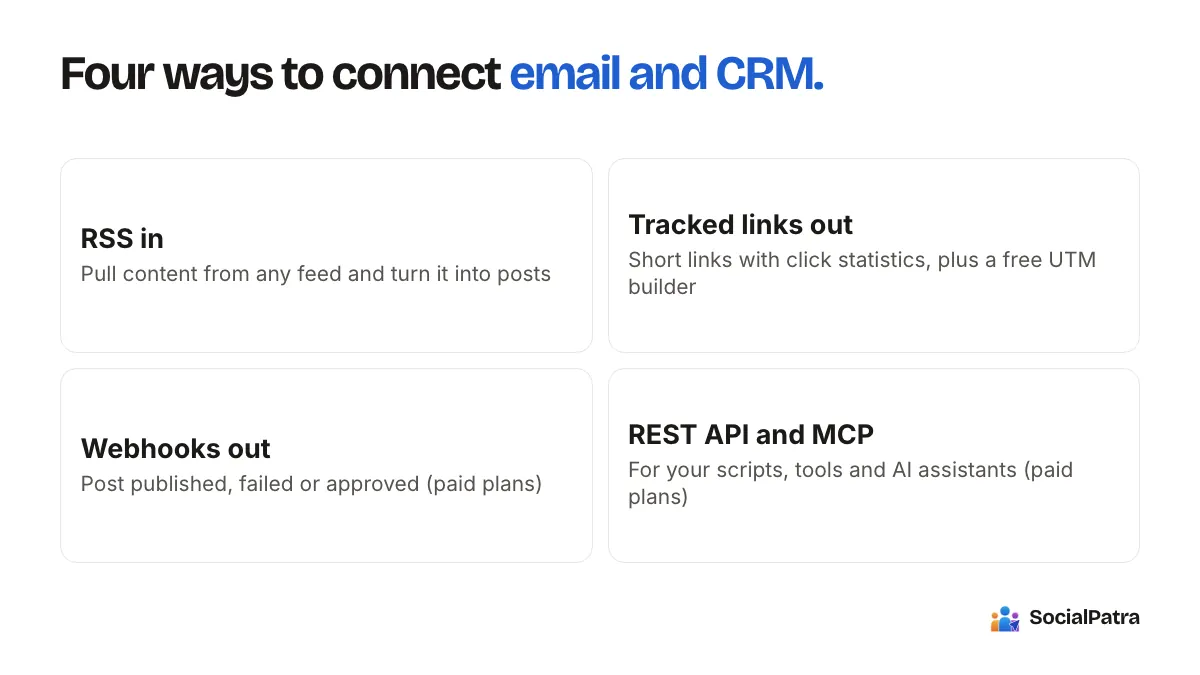
Substack's developer API returns public creator and publication details, such as names, subscriber counts and profile links, not your posts, so an API key won't feed a social scheduler. The way that works is your publication's RSS feed. Add it to SocialPatra's RSS automation and each new Substack post becomes a draft or a published social post.
What does a Substack API key give you?
Public profile information. Substack's Terms of Service for the Substack API (last updated 8 January 2026) describe the data as publicly visible creator and publication details: name, subscriber count, bestseller status, leaderboard recognitions, profile summary, and profile and publication URLs, limited to what creators chose to make public (Terms of Service for the Substack API, checked 18 November 2026). The terms do not describe reading your posts or publishing through the API. Substack links its own help article on generating an API key from that page.
So if a tool asks for your "Substack API key" to post your newsletter to social media, that key is not what it needs.
How do I connect Substack to SocialPatra?
Through your publication's RSS feed. Every Substack publication publishes a standard RSS 2.0 feed; for example, Substack's own publication serves one at on.substack.com/feed (checked 18 November 2026). Yours is normally your publication's address with /feed at the end, on a substack.com address or your custom domain.
- Find your feed. Open your publication's home page and add
/feedto the address, for exampleyourname.substack.com/feed. - Open RSS Feeds in your SocialPatra workspace and add a feed.
- Paste the feed address and give it a name, such as "Newsletter".
- Run the test. SocialPatra fetches the feed and shows the latest posts, so you know it works before you save.
- Pick the accounts to post to, such as LinkedIn, X and Threads.
- Leave it in draft mode at first. Each new issue arrives as a draft you can edit; switch to auto-publish once you like the result.
A solo creator might point the feed at LinkedIn and Threads. An agency sets up a client's newsletter feed inside that client's workspace, aimed only at the client's accounts.
What can SocialPatra do with each new Substack post?
The RSS automation reads the title, link and summary of each new post and can reshape them before they reach your queue: improve the title into a caption, add hashtags, generate an image, or follow your own instructions such as "two sentences and the link". It posts each item once, posts at most 3 items a day by default, and spaces auto-published posts apart. Full detail is in RSS automation.
What does this setup not do?
- No Substack account connection. SocialPatra has no direct Substack connection; it reads your public feed.
- No posting to Substack. This shares your Substack posts on social media; it does not publish into Substack.
- Paid posts show what the feed shows. The automation sees whatever your public feed contains for each post.
- No Free plan. RSS automation is on paid plans.
- No old backlog. Items older than the feed's maximum age, 30 days by default, are skipped.
What does it cost?
RSS automation is on Professional, Business and Agency. Prices as of 18 November 2026; INR is before 18% GST, USD includes tax.
| Plan | Monthly price | Accounts included | Each extra account | RSS automation |
| Free | $0 / ₹0 | 1 | Not available | No |
| Professional | $5 / ₹399 | 1 | $3 / ₹149 | Yes |
| Business | $10 / ₹829 | 1 | $3 / ₹149 | Yes |
| Agency | $99 / ₹7,999 | 10 across clients | $4 / ₹249 | Yes |
FAQ
Does Substack have an API key?
Yes, Substack has a developer API with its own terms, last updated 8 January 2026. It returns public creator and publication details such as names, subscriber counts and profile URLs. It is not described as a way to read or publish posts, so it can't send your newsletter to a social media scheduler.
How do I auto-post my Substack newsletter to social media?
Use your publication's RSS feed, usually your publication address with /feed at the end. In SocialPatra, add it under RSS Feeds, run the test, pick your social accounts and save. Each new issue becomes a draft post, or publishes on its own if you switch the feed to auto-publish.
Can I use a custom domain feed?
Yes. If your Substack publication uses a custom domain, the feed usually sits at that domain with /feed at the end. Paste it into SocialPatra's RSS feed form and run the test, which fetches the feed and shows the latest posts before you save, so you'll know straight away whether it works.
Will every old Substack post be shared when I add the feed?
No. SocialPatra skips items older than the feed's maximum age, 30 days by default, and posts at most 3 items a day by default. Each item is shared once, even though the feed is checked again and again.
Pick a plan to connect your newsletter feed.
Drafted with AI assistance and checked against the product by the SocialPatra team. Facts as of 18 November 2026.