Why teams switch from Publer to SocialPatra
SocialPatra is a Publer alternative that publishes every supported post automatically through an official platform API, with no phone reminder, across 18 live platforms.
Free plan, no charge 18 live platforms Approvals, API and MCP
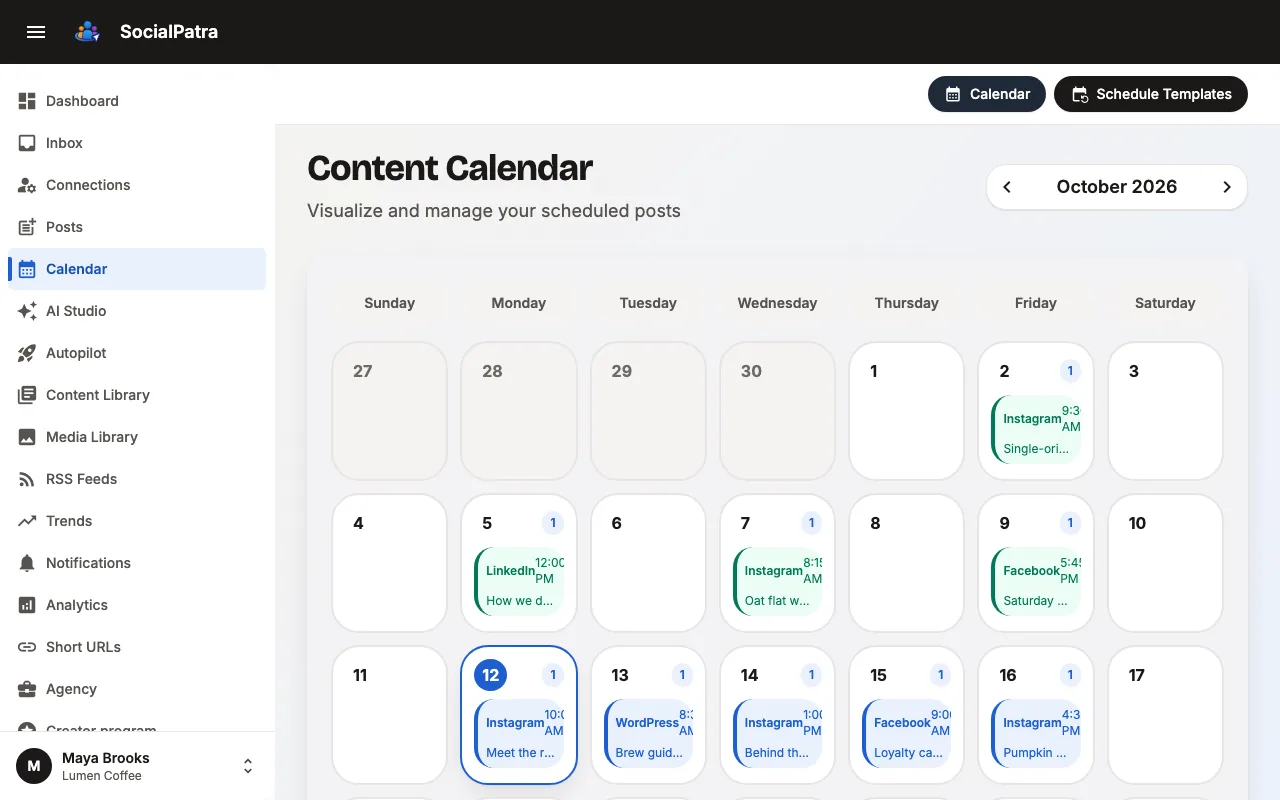
SocialPatra vs Publer at a glance
| Feature | SocialPatra | Publer |
|---|---|---|
| Facebook Pages, published automatically | Yes Pages are listed | |
| Free plan | Free forever: 1 social account, 10 scheduled posts per account, 25 saved drafts | |
| Approvals | Approval workflows with additional members | |
| API and MCP | API and MCP on the Business plan |
Publer details checked October 2026.
Where SocialPatra wins
Publer and SocialPatra both schedule posts across social networks. One difference matters before any price: Meta removed publishing to Facebook Groups and to personal profiles from its API, so a tool that lists Groups can only remind you to post by hand.
Facebook Page posts publish by themselves
Each Facebook Page post publishes by itself, with no phone reminder in the loop.
Blogs and developer sites
Publish to WordPress, Medium, Dev.to and Hashnode as well as social networks.
- WordPress
- Medium
- Dev.to
- Hashnode
Approvals, an API and an MCP server
Approvals, an API and an MCP server on the same paid plan.
Communities and chat
Post to Reddit, Discord, Slack and Telegram.
- Discord
- Slack
- Telegram
Test SocialPatra next to Publer. The Free plan costs nothing.
Blogs, developer sites and communities, not only social networks
SocialPatra covers the main networks and also publishes to Reddit, Tumblr, Medium, Dev.to, Hashnode, WordPress, Discord, Slack and Telegram.
One calendar, one approval flow and one API for all of them.
Social networks
- X
- Threads
- Bluesky
- Mastodon
- YouTube
Blogs, developer sites and communities
- Tumblr
- Medium
- Dev.to
- Hashnode
- WordPress
- Discord
- Slack
- Telegram
Automatic publishing or a reminder?
Meta’s Graph API v19.0 changelog lists the Groups API permissions, including publish_to_groups, as deprecated and says they will be removed on April 22, 2024. After that, a third-party tool cannot publish to a Facebook Group through Meta’s API.
The Graph API does not support posting to a personal profile either. So if a tool lists Facebook Groups or profiles, check whether it publishes or reminds you.
Publer’s own help pages say the same: because Meta discontinued the Facebook Groups API, “you cannot publish your posts directly through Publer.” For Groups, Publer uses reminders instead.
Schedule the post in Publer
Select the Facebook Group account and create the post: a video, GIF, link or photo.
Get a push notification
At the scheduled time, the Publer mobile app sends a reminder. Publer notifications must be turned on.
Open the post in Facebook
Tap the notification to open the preview, then tap “Open in Facebook”. The Facebook app must be installed and logged into the right account.
Paste and publish by hand
On iOS, you open the Group, tap “Write something…”, paste the text, and add the saved media yourself. On Android, media is pasted for you but the caption and follow-up comments are pasted by hand.
Publer says that for Groups it “won’t be able to gather insights, or sync posts, given the lack of an official API”, and that you can’t use post options such as Auto-Delete or Auto-Share.
SocialPatra publishes to Facebook Pages through Meta’s official API. The post goes live without anyone opening the app, and SocialPatra gets the post id and link back.
Pricing that follows your accounts
SocialPatra prices a plan as a base amount per month, and each extra account and each extra team member adds a small fee. Monthly list prices as of October 2026: 3 accounts on SocialPatra Professional cost $9 a month, and 10 accounts cost $33.
To price your own setup, use the SocialPatra pricing page.
How to try SocialPatra alongside Publer
Start on the Free plan
Create an account. The Free plan has no charge, so you can keep Publer running while you test.
Connect a Facebook Page
Connect the Page you post to most.
Schedule a few posts
Schedule posts and check that they publish without a reminder.
Questions, answered
Can any tool post to Facebook Groups or personal profiles automatically?
No, because Meta removed those APIs. Tools that list Groups send a reminder so you post by hand. SocialPatra publishes to Facebook Pages automatically.
How does Publer post to Facebook Groups?
It sends a push notification at the scheduled time. You open Facebook from the notification, then paste the caption and add the media yourself and post. Publer says Groups have no insights and no sync, and no Auto-Delete or Auto-Share.
Does SocialPatra post to Facebook Pages automatically?
Yes. Facebook Pages are published through Meta’s official API, so the post goes live without anyone opening the app.
Is SocialPatra a good Publer alternative?
Yes. SocialPatra publishes automatically to Pages and to platforms such as WordPress, Medium, Reddit and Slack, with approvals, an API and an MCP server on paid plans.
Run SocialPatra next to Publer this week.
Start on the Free plan, connect one account and schedule a few posts.